
For contractors and suppliers who bid on eprocure.gov.in
From CPPP Tender Notice to an Upload-Ready Bid
Each night it picks the eprocure.gov.in tenders that fit you, then prepares your technical cover and price bid.
7 days free · No card needed
Sign up in 2 minutes. Your papers stay with you.

76%
CPPP bid 76% ready
Rates and 1 paper left
What is CPPP eProcure tender software?
Software that watches eprocure.gov.in for tenders that fit you, reads each one in full and prepares your bid papers.
180 pages
of NIT, tender document and corrigendum, read in about 3 minutes
Read from each CPPP tender
- Bid submission end date
- Tender fee and EMD
- MSE exemption, where allowed
- Turnover and similar work asked
- What goes in each cover
- Changes made by each corrigendum
For firms that bid on central government and PSU tenders
Works contractors
Civil, electrical and mechanical works from central departments, BOQ included.
Suppliers to ministries and PSUs
Supply tenders matched to your turnover, experience and HSN codes.
MSEs with Udyam
It checks if the NIT exempts registered MSEs from the tender fee or EMD.
First-time CPPP bidders
New to eprocure.gov.in? It tells you what goes in each cover.
The manual way
Search, download, read, fill. Every CPPP tender.
- 01Search eprocure.gov.in by keyword or organisation, one search at a time
- 02Read the NIT for the fee, EMD, dates and who may bid
- 03Recheck the corrigendum list, because dates and quantities move
- 04Fill the BOQ sheet in the open cells only, without breaking the file
- 05Sign with your DSC and upload, cover by cover, before the end date

Then a corrigendum changes the BOQ.
A corrigendum replaced the BOQ, and your team priced the old one. There was no time to redo it, so the bid never went in.
CPPP bids by hand vs with QistonPe
Finding tenders
By hand: Portal search, every day
With QistonPe: Matched list by 8 AM
Corrigendum
By hand: Rechecked by hand
With QistonPe: Read with the tender
Eligibility
By hand: Guessed from the NIT
With QistonPe: Met, Pending or Not Met, with proof
Price bid
By hand: Rates keyed in by hand
With QistonPe: Their BOQ sheet, your rates
Cost
By hand: ₹5,000 a bid to a consultant
With QistonPe: ₹10,000 a year, 2 bids or 20
From the portal to your price bid, step by step

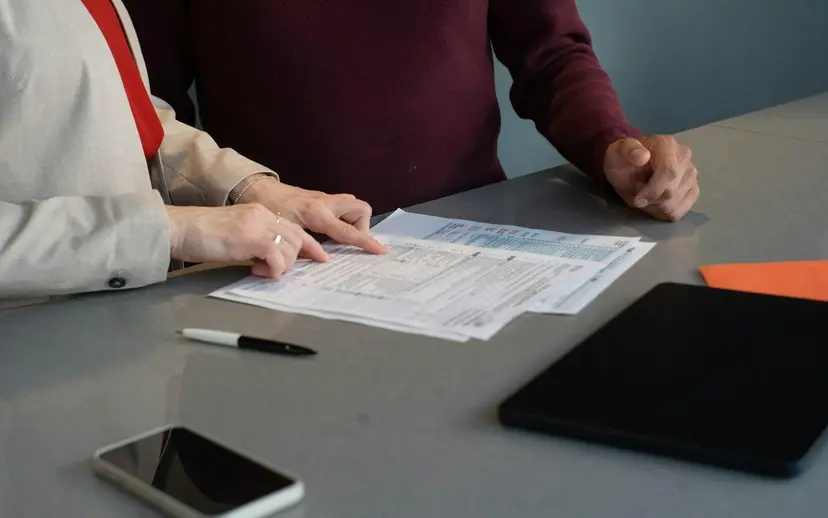

It reads eprocure.gov.in every night
New central tenders that fit your turnover, experience and sector reach WhatsApp and email by 8 AM.
Match my CPPP tendersIt reads the NIT, tender document and corrigendum
Scope, dates, tender fee, EMD and how bids are judged, in plain English.
Summarise my tender freeIt checks if you can bid
Turnover, similar work, registrations and MSE status, each marked Met, Pending or Not Met.
Check my eligibility freeIt prepares the technical cover and the BOQ
Forms and annexures in the department's format, and the price bid in their own BOQ sheet.
Prepare my BOQ freeSign with your DSC and upload
You sign with your own DSC and upload each cover on eprocure.gov.in.
Start free for 7 days
Where it fits in a CPPP bid
Finding the tender
Every morning, before work starts
- Nightly portal check
- central ministries, departments and PSUs
- Tender matching
- turnover, experience, HSN codes, sector
- Morning list
- WhatsApp and email by 8 AM
Reading the tender
Before you pay the tender fee or EMD
- NIT summary
- scope, dates, fee, EMD in plain English
- Corrigendum reading
- every change, read with the tender
- Eligibility check
- Met, Pending or Not Met, with proof
Preparing the covers
The days before the bid end date
- Technical cover papers
- forms and declarations in their format
- Price bid in their BOQ
- their sheet, your rates
- Company papers
- GST, PAN, ITR, Udyam, saved once
Fewer hours on portals, more bids out
4 → 15 tenders a month
“We no longer spend time searching across multiple portals or struggling with lengthy bid documentation… We’ve been able to participate in significantly more tenders while keeping the same team.”
 Ankur GuptaDirector, Capri Paints, Bhopal
3×
Tenders filed a month
2 days
Saved on every bid
₹3.6L
Saved a year
Zero
Tenders missed
3 days → a few hours a week
“One person was spending almost three days every week just checking portals… that same person now manages the entire tender pipeline in a few hours. We are tracking over 40 active tenders.”
 Piyush PatelDirector, Patel Heat Exchanger, Bhopal
Your papers stay in India
Turnover, ITR, bank papers. We know what those mean to your business.
Servers in India
Your papers never leave the country.
We follow the DPDP Act
Ask us to delete everything, any time.
We never share your papers
Nobody sees your numbers or your bid.
Only your team opens your file
Access is controlled per account.
₹0for 7 days
Then from ₹10,000 a year, about ₹834 a month. See pricing
- No setup fee, no card at sign-up
- Cancel any time
- Same price for 2 bids or 20
Try it on your next CPPP tender
Use the seven free days on a live CPPP tender, with 10 tender insights and 2 AI documents.
No credit card required.
Common questions
Stop reading every CPPP tender by hand
Put in your number and prepare your next CPPP bid free.
- Papers stay in India
- Cancel any time
- WhatsApp support in Hindi
No credit card. Plans from ₹10,000 a year after the trial.
Not bidding on anything yet? Browse live tenders
 Made with Levo